
Commands
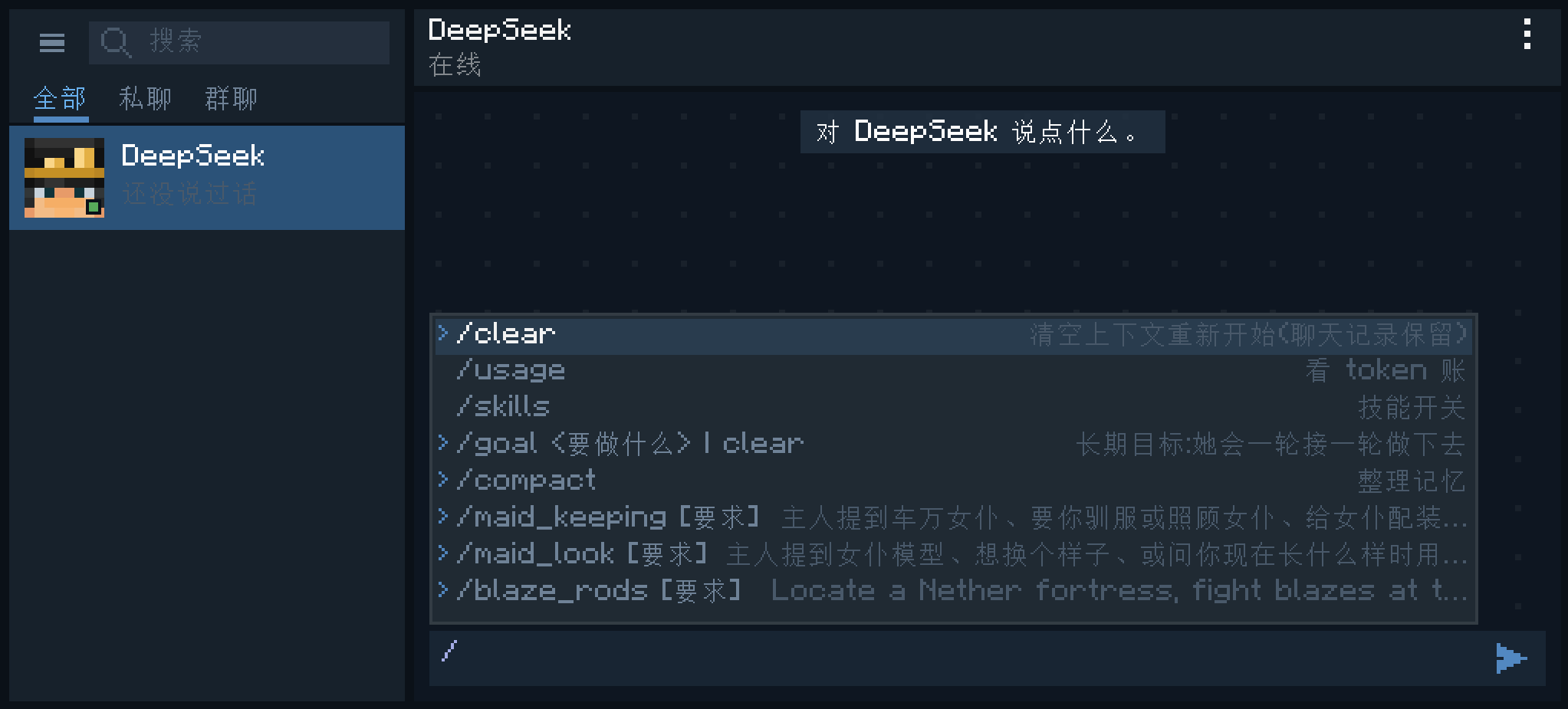
Besides chatting in plain language, you can also type / in the input box to use commands. Typing / pops up the command list; keep typing to filter it, use the arrow keys to choose, and press Enter to confirm.
Commands only work in private chats with an agent, not in group chats.
Built-in Commands
| Command | What it does |
|---|---|
/clear | Clear the context so it starts over |
/compact | Tidy up its memory |
/goal | Set a long-term goal that it keeps working on, turn after turn |
/skills | Turn skills on or off |
/usage | Check token usage |
/clear
Clears the context it can see, so it starts over as if it had just been summoned. Only the memory it carries is cleared: the chat history is not deleted, and you can still scroll up to see everything.
/compact
Tidies the earlier conversation into a summary that replaces the long original context. Useful when you have been chatting for a long time and want to save some tokens without making it forget everything that came before. If it is busy, the tidy-up runs after the current turn ends.
/goal
Gives it a long-term goal that spans many turns. It keeps working on it, turn after turn, until the goal is done.
/goal clear out the woods in front of the house: set a goal. If there is already a goal, the new one replaces the old one./goal: with nothing after it, shows how long the current goal has been running, which turn it is on, how many tokens it has used, and what is still left./goal clear: cancel the goal early.
For how long-term goals work under the hood, such as how it decides whether a goal is done, see Deep Dive.
/skills
Opens the skill list: use the arrow keys to choose and Enter to toggle. It is the same setting as the Skills page in the settings panel. It will no longer use a skill that is turned off, and the matching skill command also disappears from the list.
/usage
Shows how many tokens this agent has used. The input is shown in two parts, "cache hits" and "newly processed"; the cache-hit part is usually much cheaper.
Skill Commands
Every skill automatically becomes a command, such as /maid_keeping or /blaze_rods. Write your request after the command, and the skill is handed to it together with your request:
/maid_keeping put all these maids to work on the farmNormally it decides on its own when to use which skill; skill commands are for when you know exactly which set of instructions you want it to follow. The list of skill commands changes with the skills and plugins you have installed. See Abilities.